
Amplify CLI - Todo App
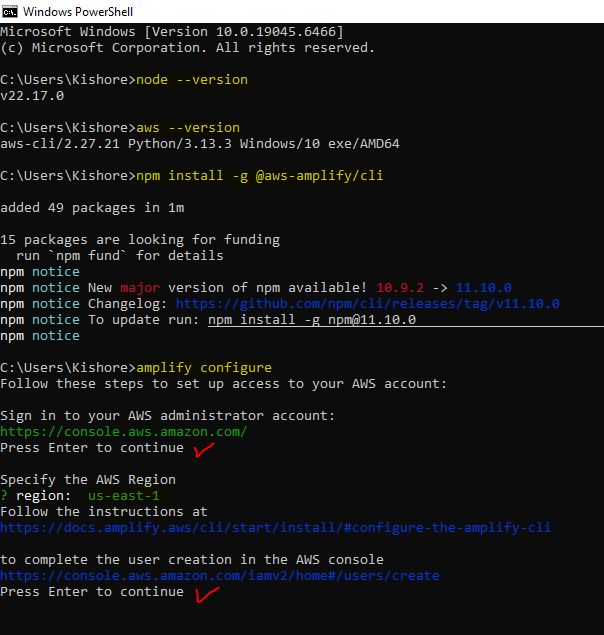
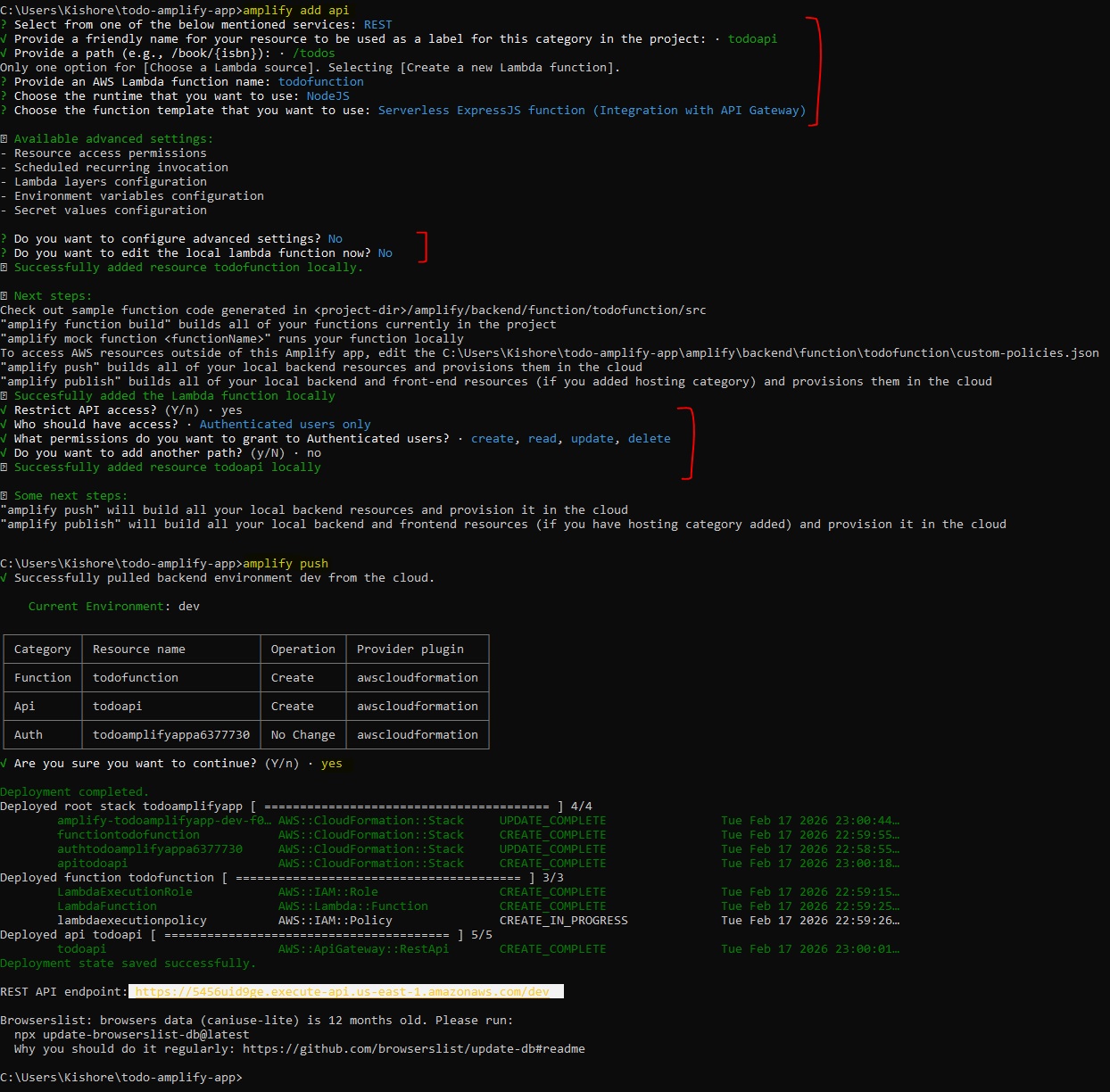
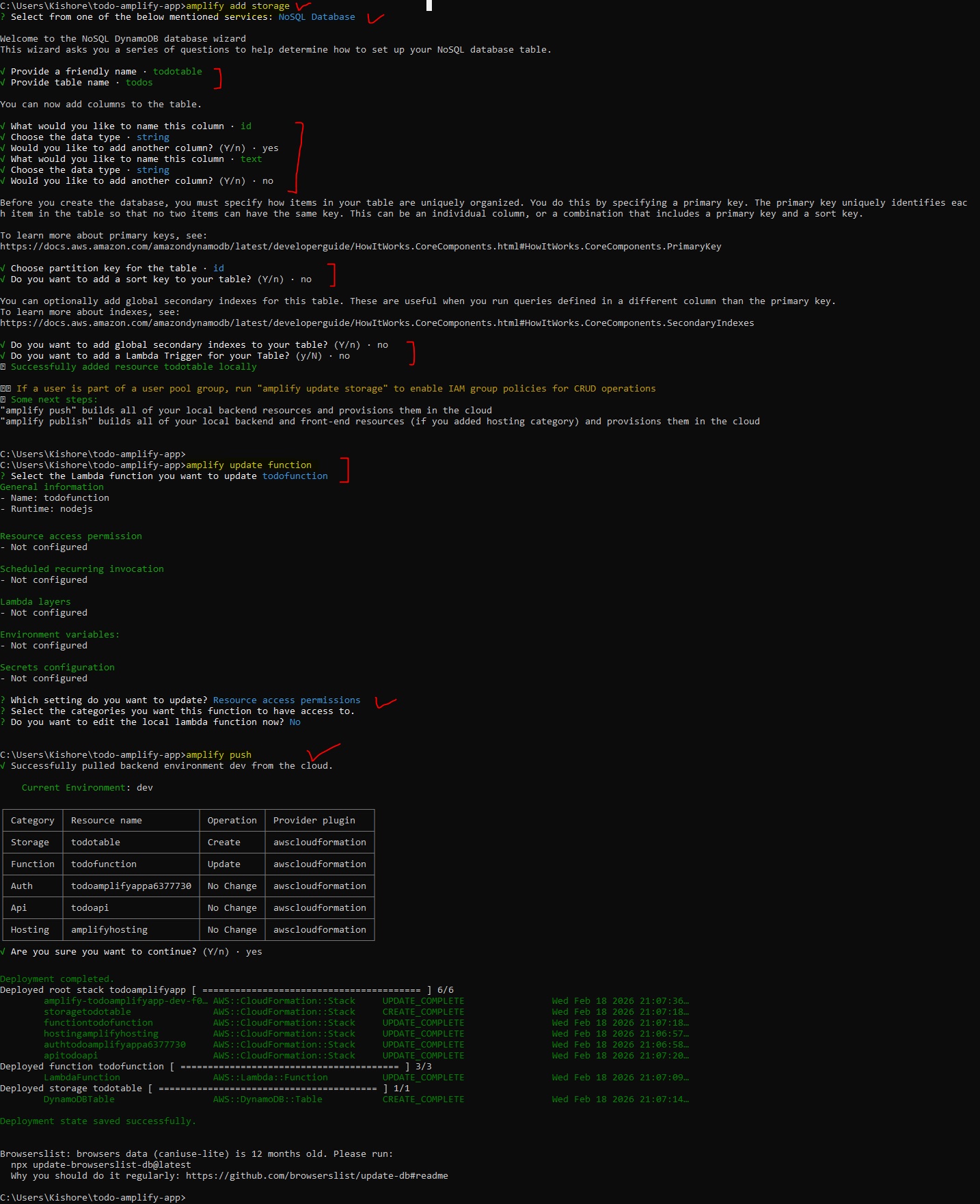
Amplify v5 → v6 Lambda Node 16 → 20 Lambda AWS SDK v2 → v3 Amplify Libraries v5 → v6 React Code v5 → v6 CLI Commandsnode --version aws --version aws configure npm install -g @aws-amplify/cli amplify configure # Create React app npx create-react-app todo-amplify-app cd todo-amplify-app # Install OLD Amplify version (v5) - we'll upgrade later npm install aws-amplify@5.3.12 @aws-amplify/ui-react@5.3.2 # Initialize Amplify project amplify init -- Add Authentication # Add Cognito authentication amplify add auth amplify push # Add REST API with Lambda amplify add api amplify push -- Add DynamoDB Storage # Add DynamoDB table amplify add storage amplify pushsrc/App.css:
.App {
  text-align: center;
  min-height: 100vh;
  background-color: #282c34;
  color: white;
}

.App-header {
  padding: 20px;
  background-color: #1a1d24;
}

.App-header h1 {
  margin: 0 0 10px 0;
}

.App-header button {
  margin-top: 10px;
  padding: 8px 16px;
  background-color: #ff4757;
  color: white;
  border: none;
  border-radius: 4px;
  cursor: pointer;
}

.App-main {
  padding: 40px 20px;
  max-width: 600px;
  margin: 0 auto;
}

.todo-input {
  display: flex;
  gap: 10px;
  margin-bottom: 30px;
}

.todo-input input {
  flex: 1;
  padding: 12px;
  font-size: 16px;
  border: 2px solid #444;
  border-radius: 4px;
  background-color: #1a1d24;
  color: white;
}

.todo-input button {
  padding: 12px 24px;
  background-color: #5f27cd;
  color: white;
  border: none;
  border-radius: 4px;
  cursor: pointer;
  font-size: 16px;
}

.todo-input button:hover {
  background-color: #341f97;
}

.todo-list {
  list-style: none;
  padding: 0;
}

.todo-list li {
  display: flex;
  justify-content: space-between;
  align-items: center;
  padding: 15px;
  margin-bottom: 10px;
  background-color: #1a1d24;
  border-radius: 4px;
  border-left: 4px solid #5f27cd;
}

.todo-list li span {
  flex: 1;
  text-align: left;
}

.todo-list li button {
  padding: 6px 12px;
  background-color: #ff4757;
  color: white;
  border: none;
  border-radius: 4px;
  cursor: pointer;
}

.todo-list li button:hover {
  background-color: #d63031;
}
Update React Code for v6
src/App.js (Updated for v6):
import React, { useState, useEffect } from 'react';
import { Amplify } from 'aws-amplify';
import { fetchAuthSession } from 'aws-amplify/auth';
import { get, post, del } from 'aws-amplify/api';
import { Authenticator } from '@aws-amplify/ui-react';
import '@aws-amplify/ui-react/styles.css';
import outputs from './amplifyconfiguration.json';
import './App.css';
Amplify.configure(outputs);
function App() {
const [todos, setTodos] = useState([]);
const [newTodo, setNewTodo] = useState('');
const [loading, setLoading] = useState(false);
// Fetch todos from API
const fetchTodos = async () => {
try {
setLoading(true);
const restOperation = get({
apiName: 'todoapi',
path: '/todos'
});
const response = await restOperation.response;
const data = await response.body.json();
setTodos(data.items || []);
} catch (error) {
console.error('Error fetching todos:', error);
} finally {
setLoading(false);
}
};
// Add todo
const addTodo = async () => {
if (!newTodo.trim()) return;
try {
const todo = {
id: Date.now().toString(),
text: newTodo,
completed: false,
createdAt: new Date().toISOString()
};
const restOperation = post({
apiName: 'todoapi',
path: '/todos',
options: {
body: todo
}
});
await restOperation.response;
setNewTodo('');
fetchTodos();
} catch (error) {
console.error('Error adding todo:', error);
}
};
// Delete todo
const deleteTodo = async (id) => {
try {
const restOperation = del({
apiName: 'todoapi',
path: `/todos/${id}`
});
await restOperation.response;
fetchTodos();
} catch (error) {
console.error('Error deleting todo:', error);
}
};
useEffect(() => {
fetchTodos();
}, []);
return (
{({ signOut, user }) => (
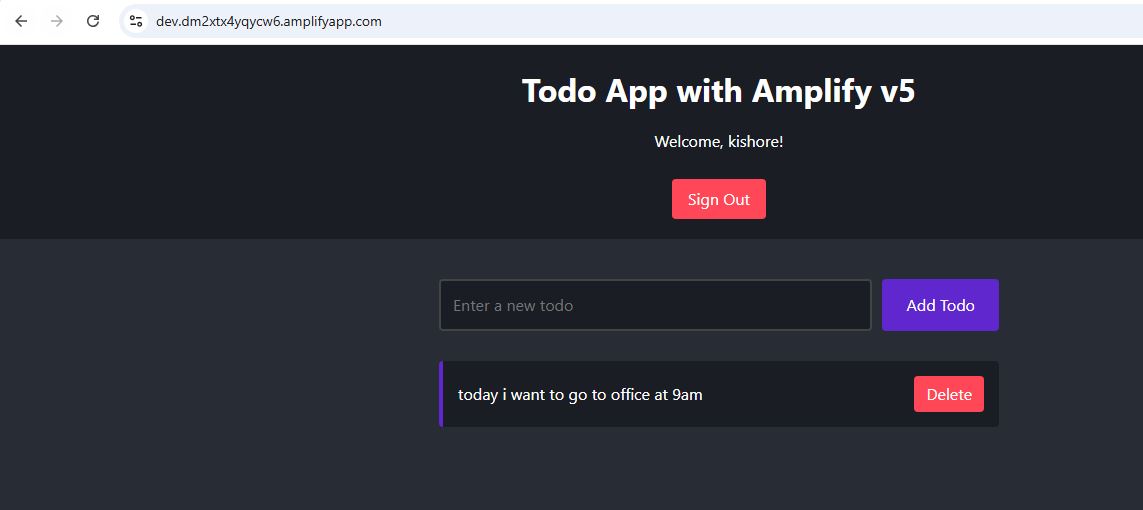
Todo App with Amplify v6
Welcome, {user.username}!
setNewTodo(e.target.value)}
placeholder="Enter a new todo"
onKeyPress={(e) => e.key === 'Enter' && addTodo()}
/>
{loading ? (
Loading...
) : (
{todos.map((todo) => (
-
{todo.text}
))}
)}
)}
);
}
export default App;
Lambda Code - CustomerProfilesCRUD
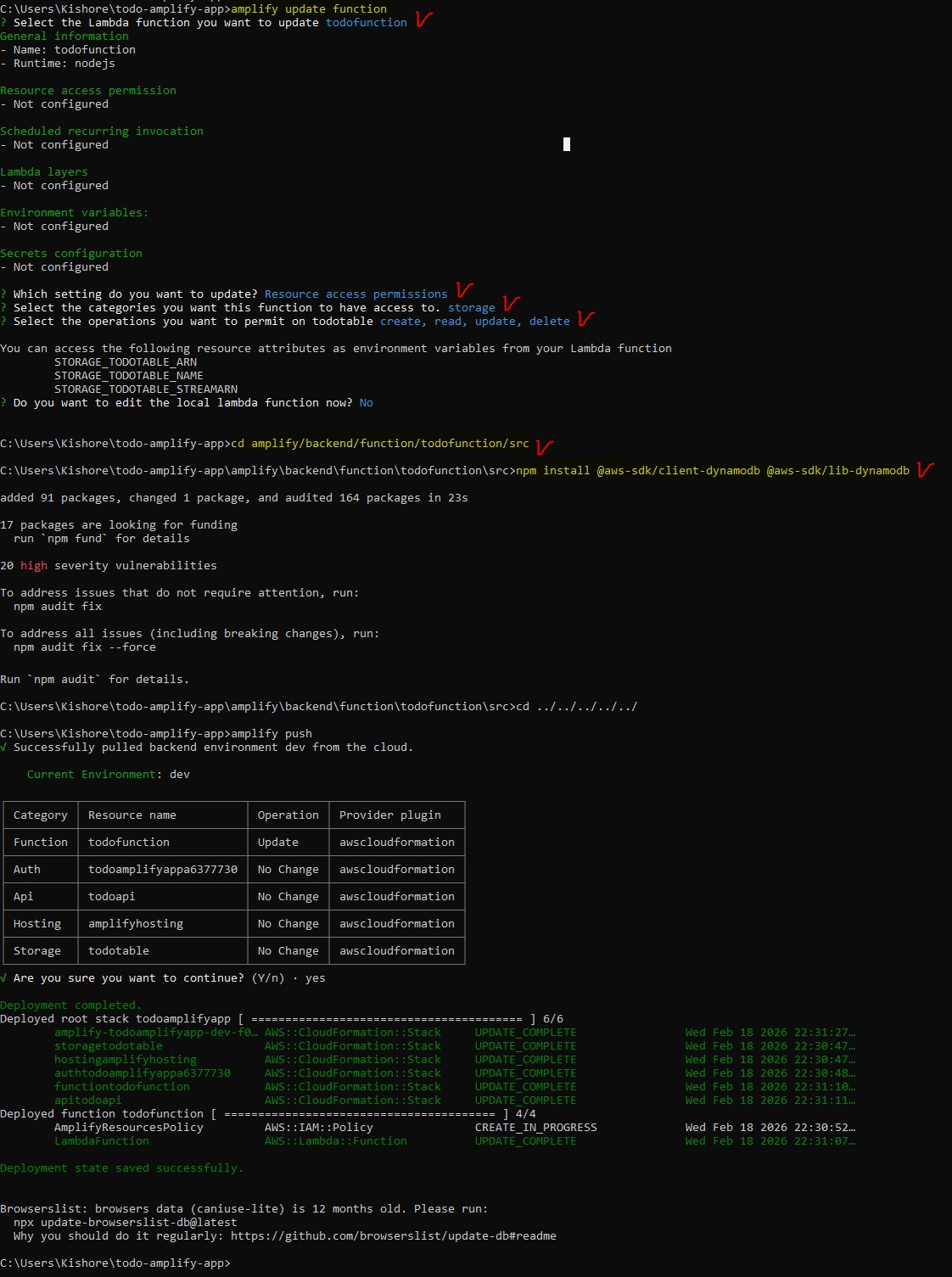
cd amplify/backend/function/todofunction/src
npm install @aws-sdk/client-dynamodb @aws-sdk/lib-dynamodb
cd ../../../../../
amplify/backend/function/todofunction/src/app.js
const express = require('express');
const bodyParser = require('body-parser');
const awsServerlessExpressMiddleware = require('aws-serverless-express/middleware');
const { DynamoDBClient } = require('@aws-sdk/client-dynamodb');
const { DynamoDBDocumentClient, ScanCommand, PutCommand, DeleteCommand } = require('@aws-sdk/lib-dynamodb');

const client = new DynamoDBClient({});
const dynamodb = DynamoDBDocumentClient.from(client);
const tableName = process.env.STORAGE_TODOTABLE_NAME;

const app = express();
app.use(bodyParser.json());
app.use(awsServerlessExpressMiddleware.eventContext());

app.use(function(req, res, next) {
  res.header("Access-Control-Allow-Origin", "*");
  res.header("Access-Control-Allow-Headers", "*");
  res.header("Access-Control-Allow-Methods", "*");
  next();
});

// GET all todos
app.get('/todos', async function(req, res) {
  try {
    const result = await dynamodb.send(new ScanCommand({ TableName: tableName }));
    res.json({ items: result.Items || [] });
  } catch (error) {
    res.status(500).json({ error: error.message });
  }
});

// POST new todo
app.post('/todos', async function(req, res) {
  try {
    await dynamodb.send(new PutCommand({
      TableName: tableName,
      Item: req.body
    }));
    res.json({ success: true, todo: req.body });
  } catch (error) {
    res.status(500).json({ error: error.message });
  }
});

// DELETE todo
app.delete('/todos/:id', async function(req, res) {
  try {
    await dynamodb.send(new DeleteCommand({
      TableName: tableName,
      Key: { id: req.params.id }
    }));
    res.json({ success: true });
  } catch (error) {
    res.status(500).json({ error: error.message });
  }
});

app.listen(3000, function() {
  console.log("App started");
});

module.exports = app;
Step 1:
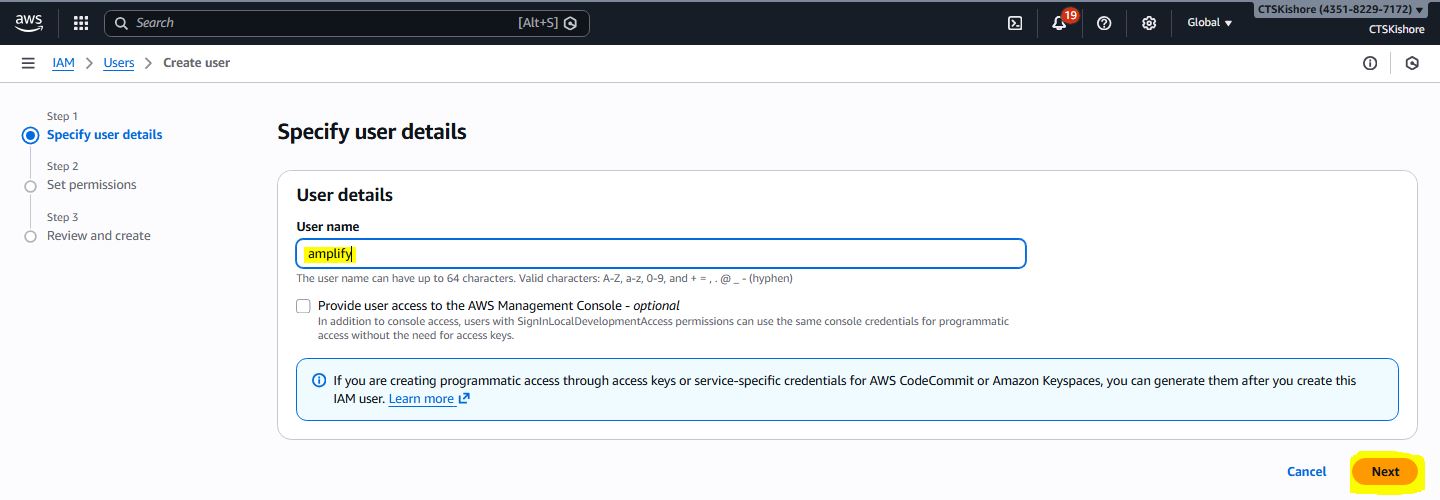
Step 2:
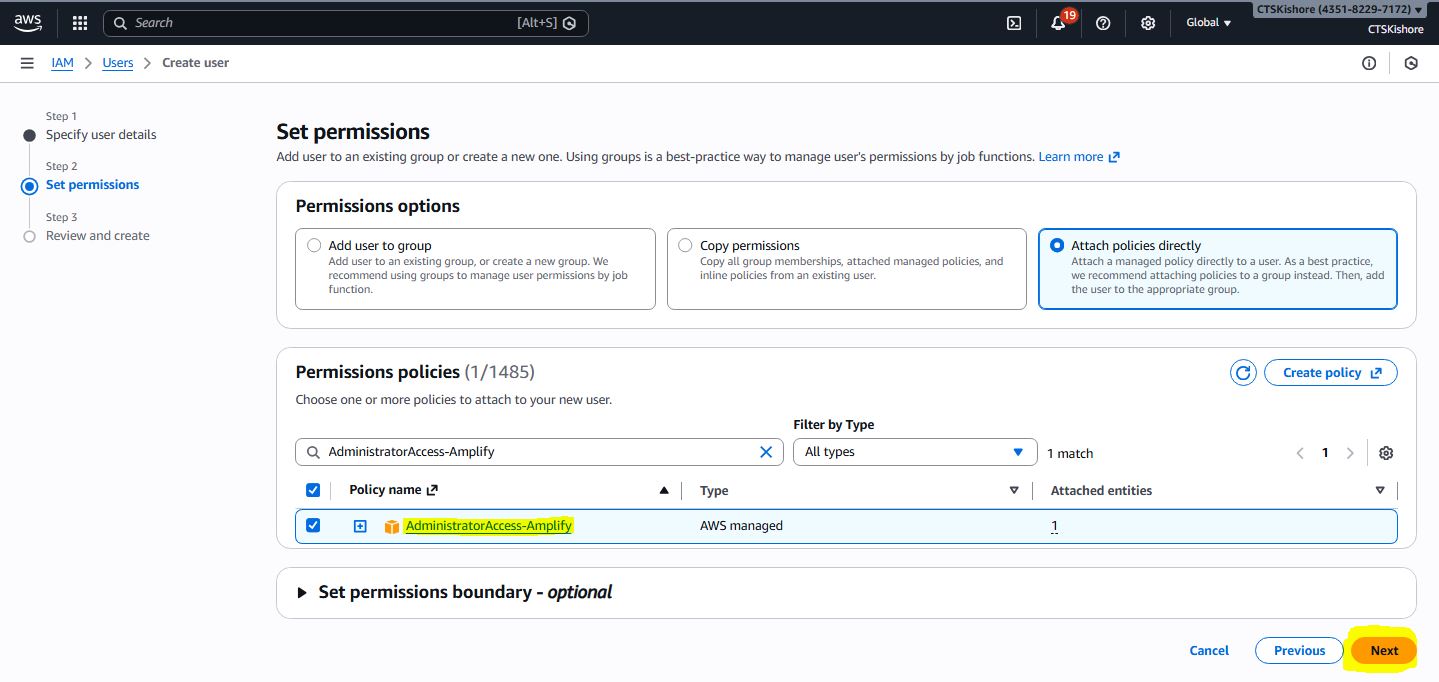
Step 3:
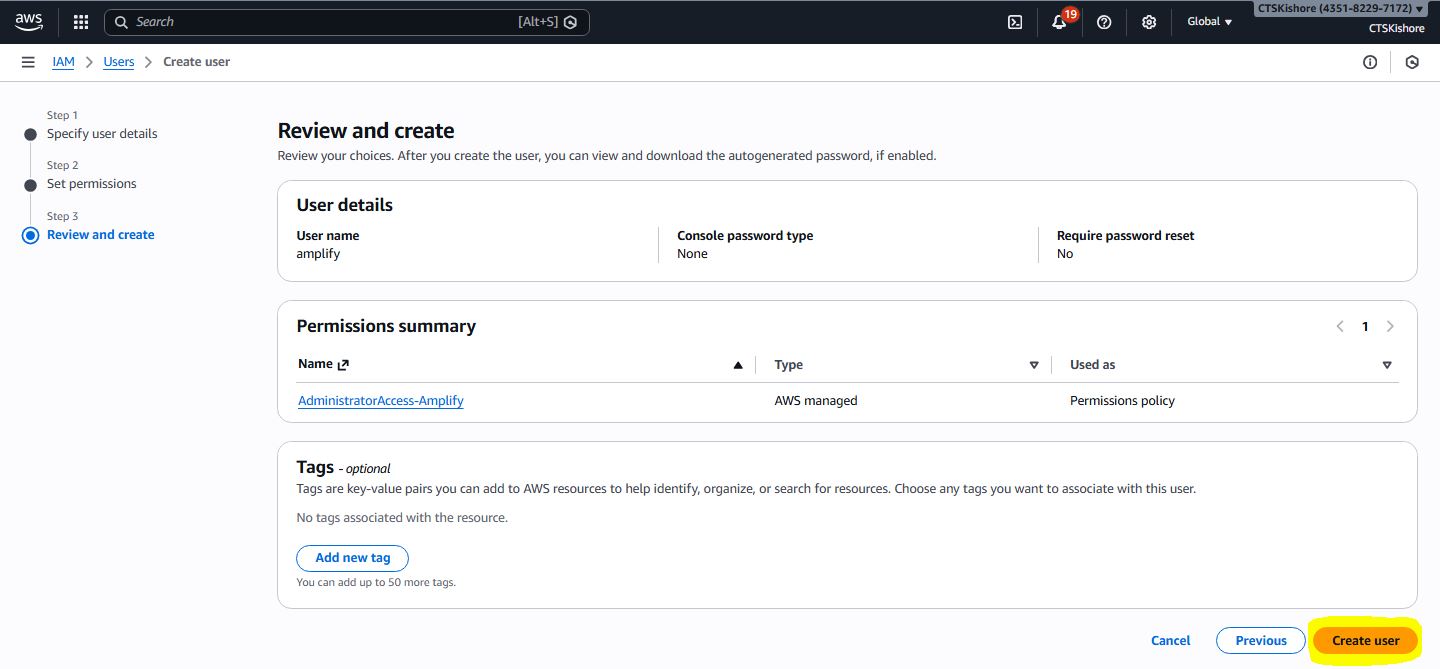
Step 4:
Step 5:
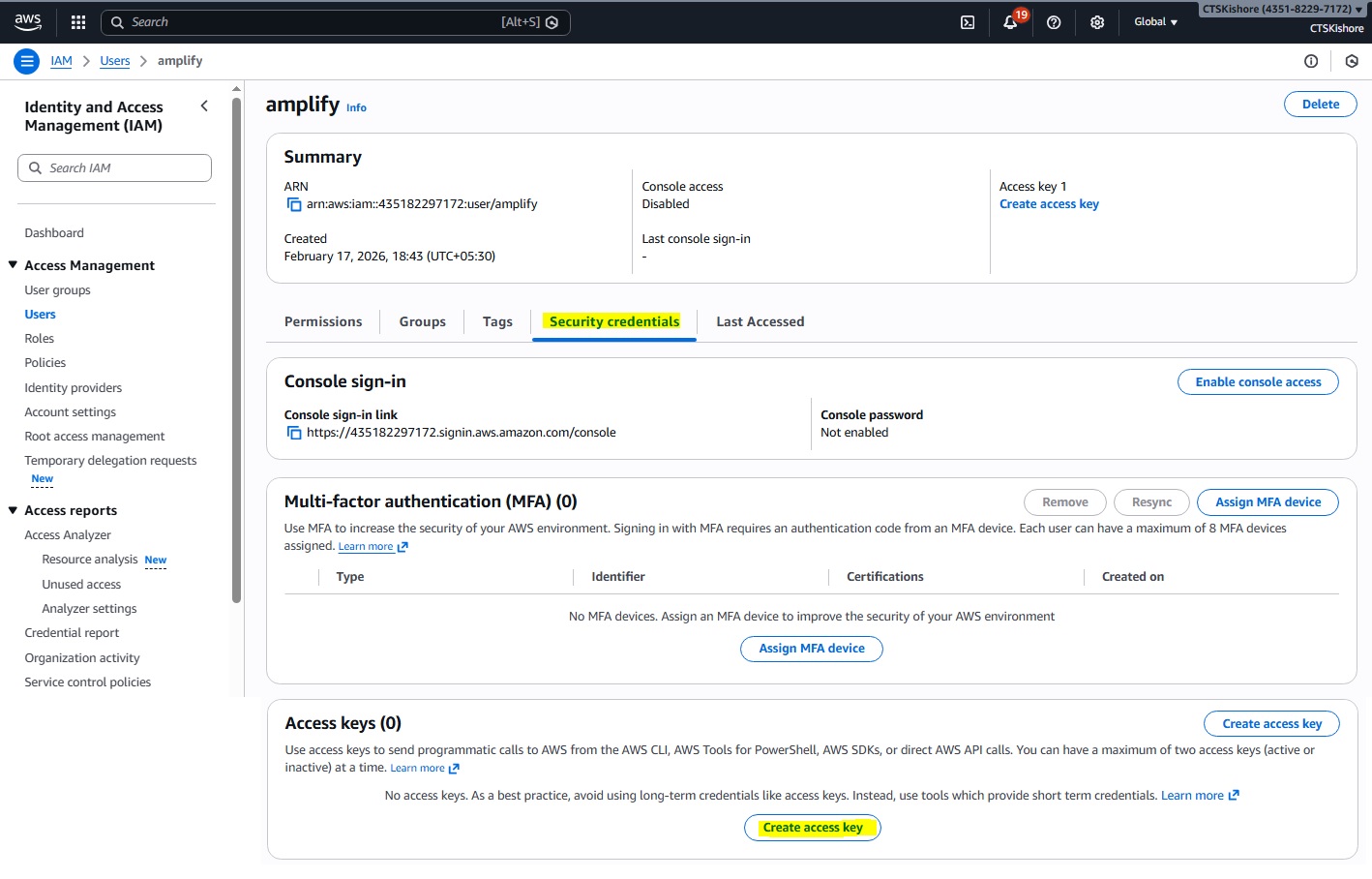
Step 6:
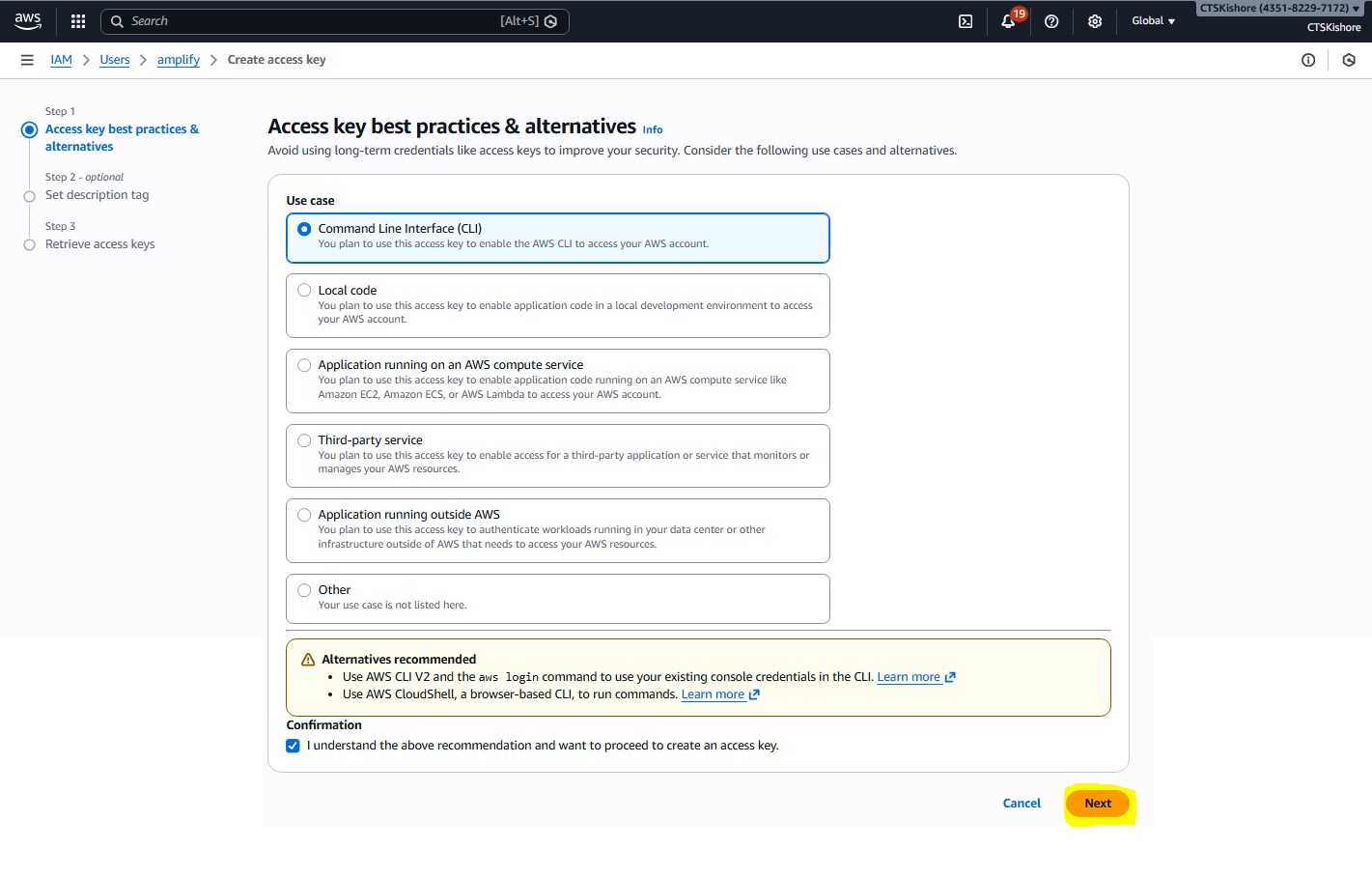
Step 7:
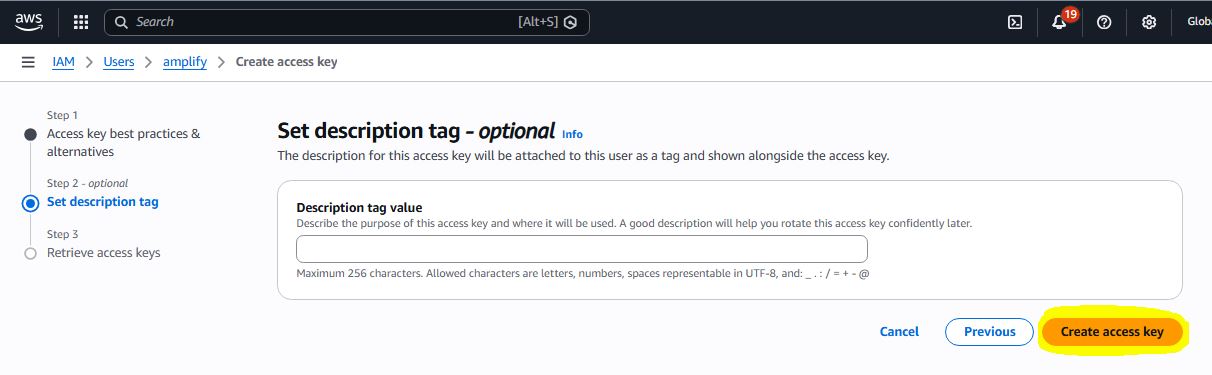
Step 8:
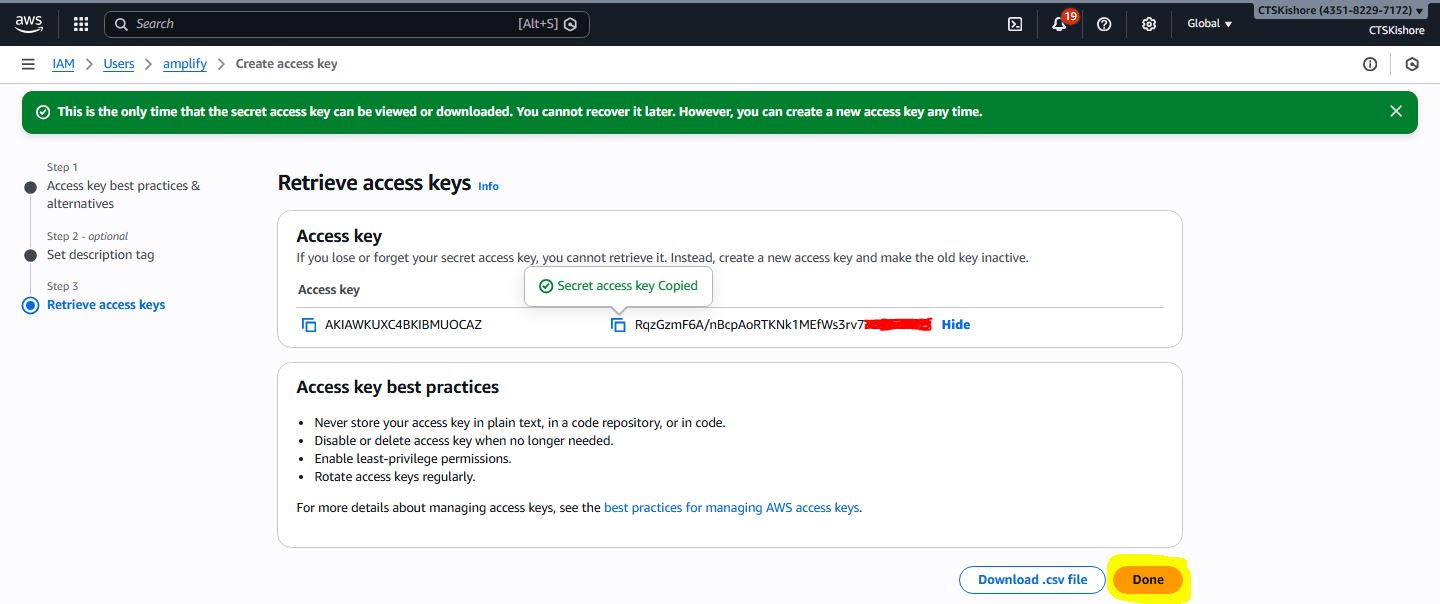
Step 9:
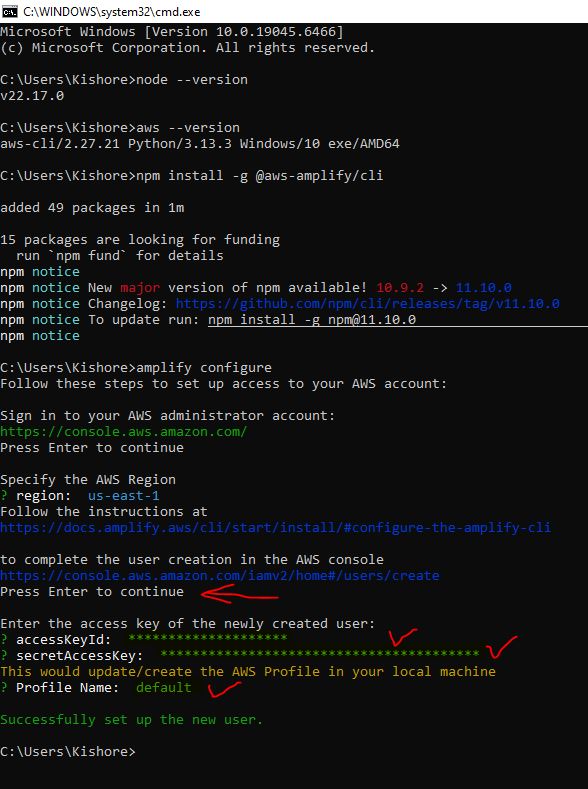
Step 10:
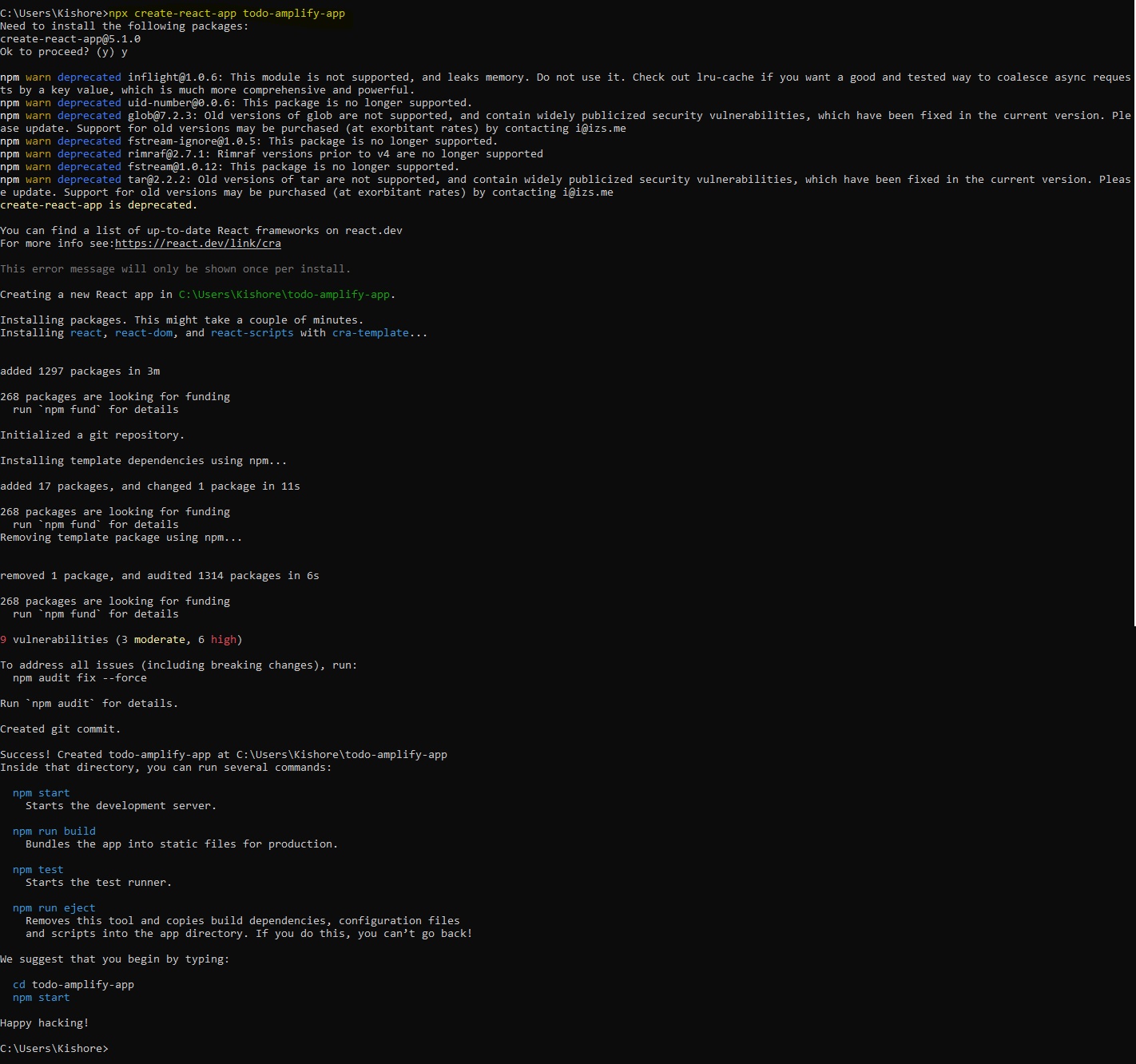
Step 11:
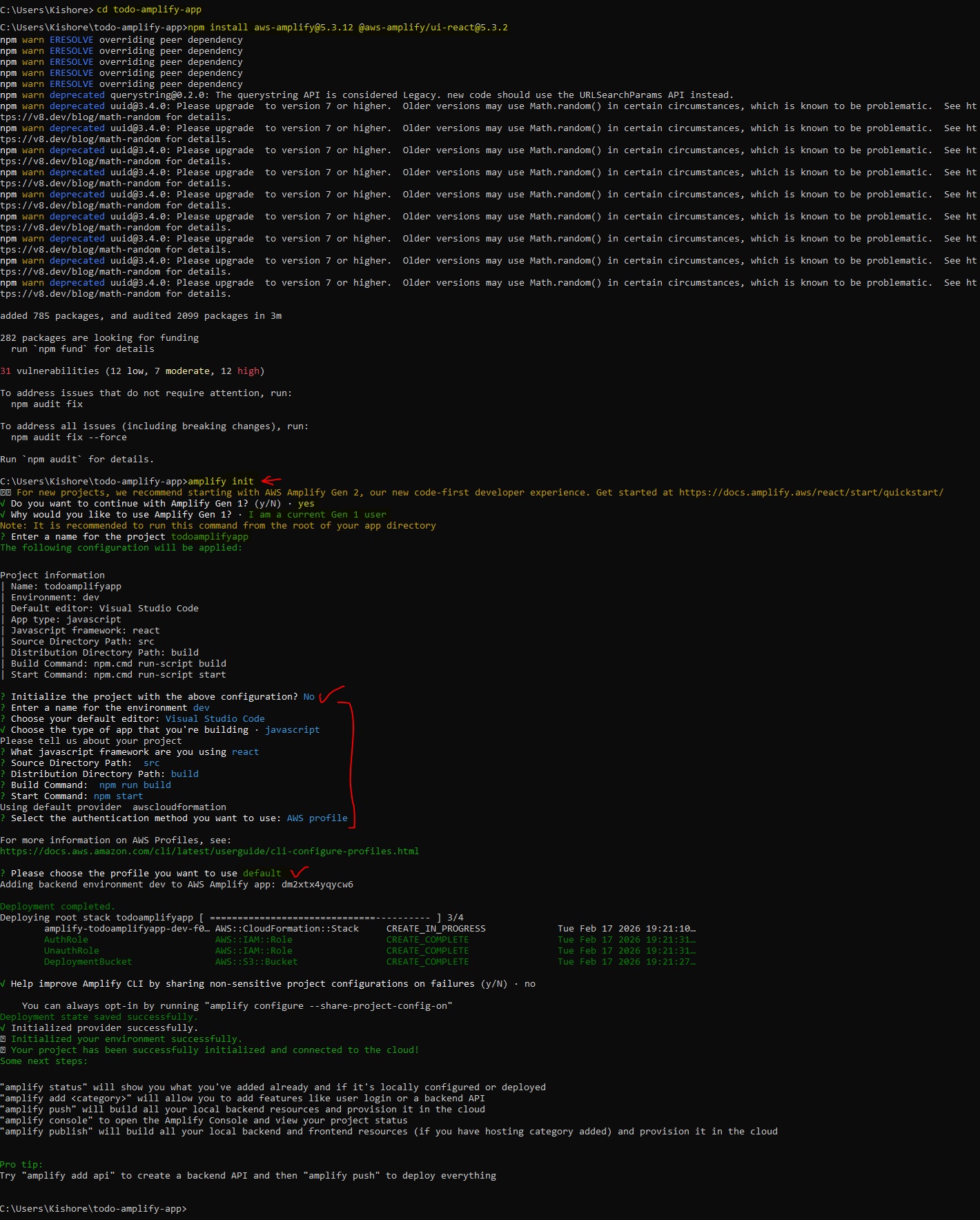
Step 12:
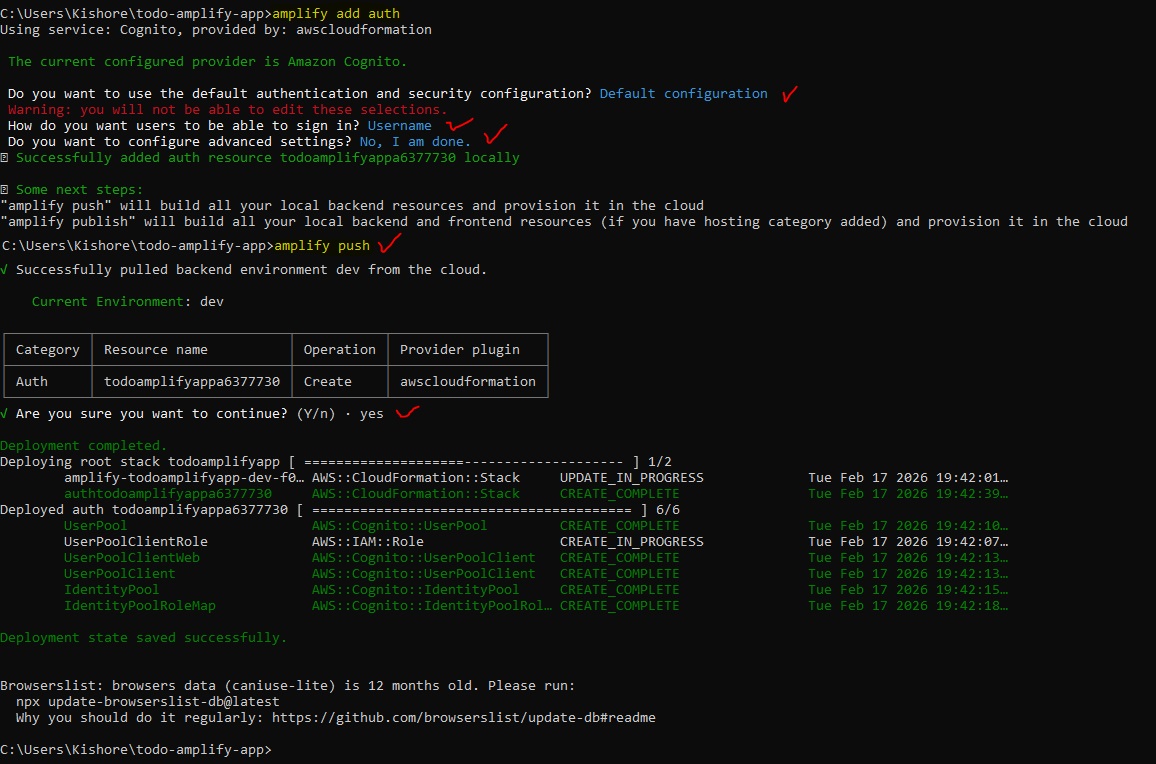
Step 13:
Step 14:
Step 15:
Step 16:
Step 17:
Step 18:
Step 19:
Step 20:
Step 21:
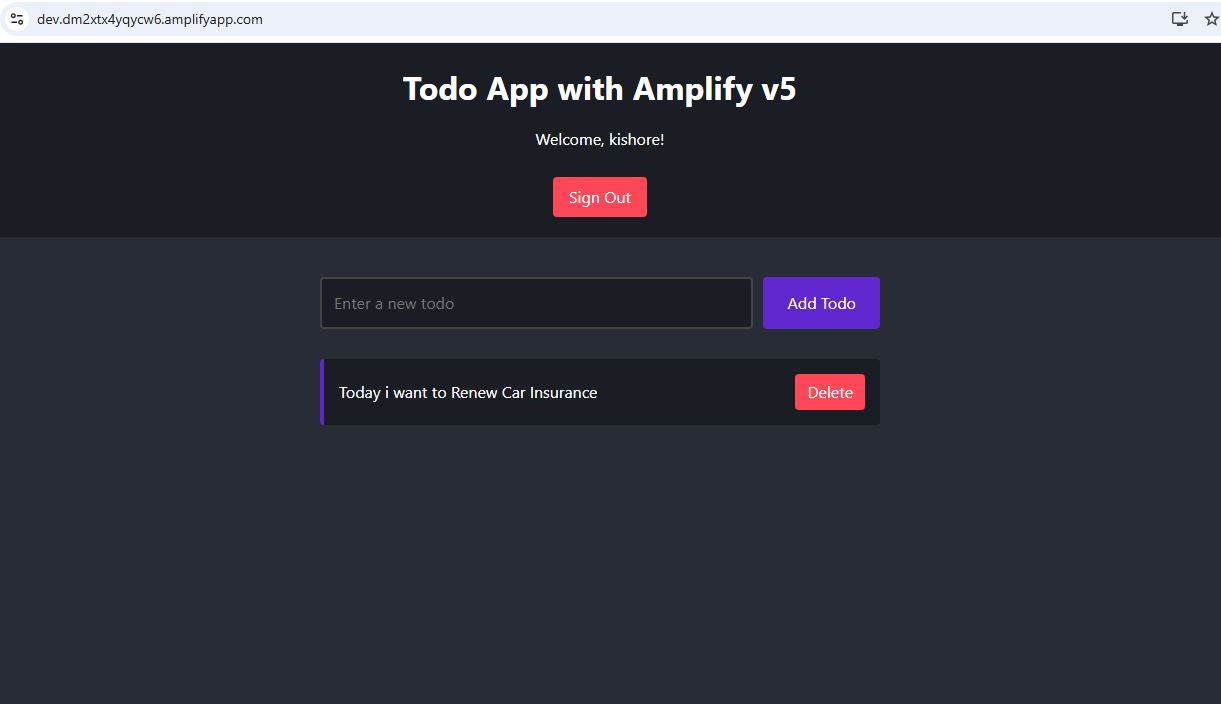
Step 22:
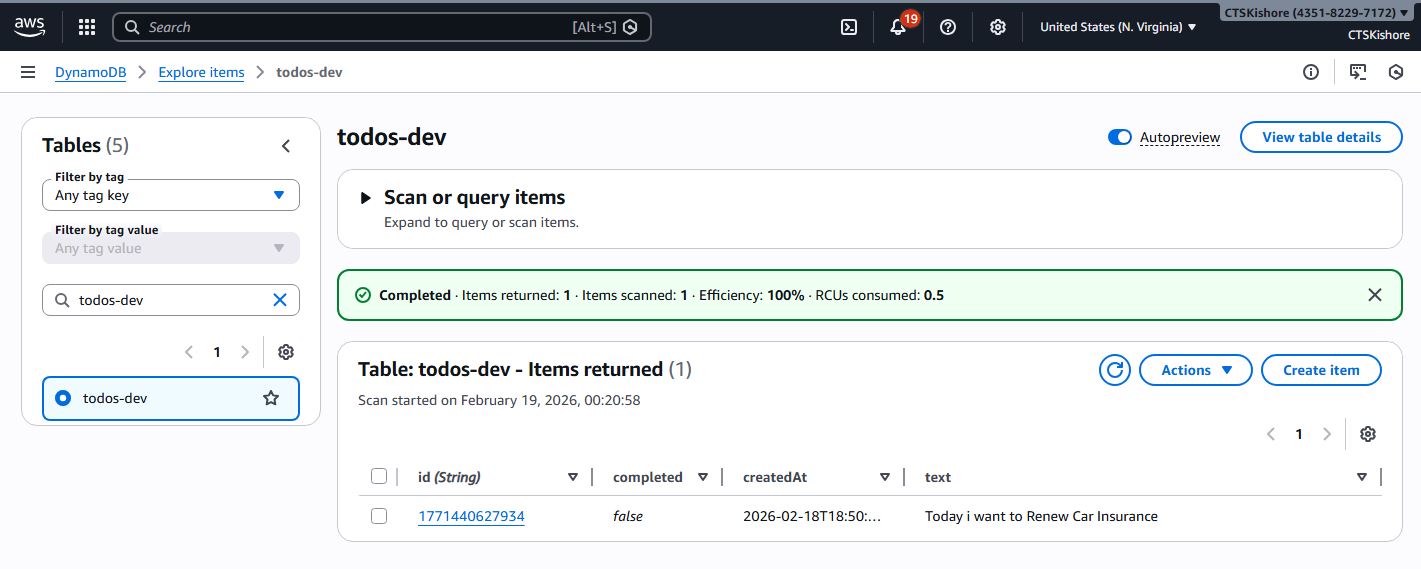
Step 23:
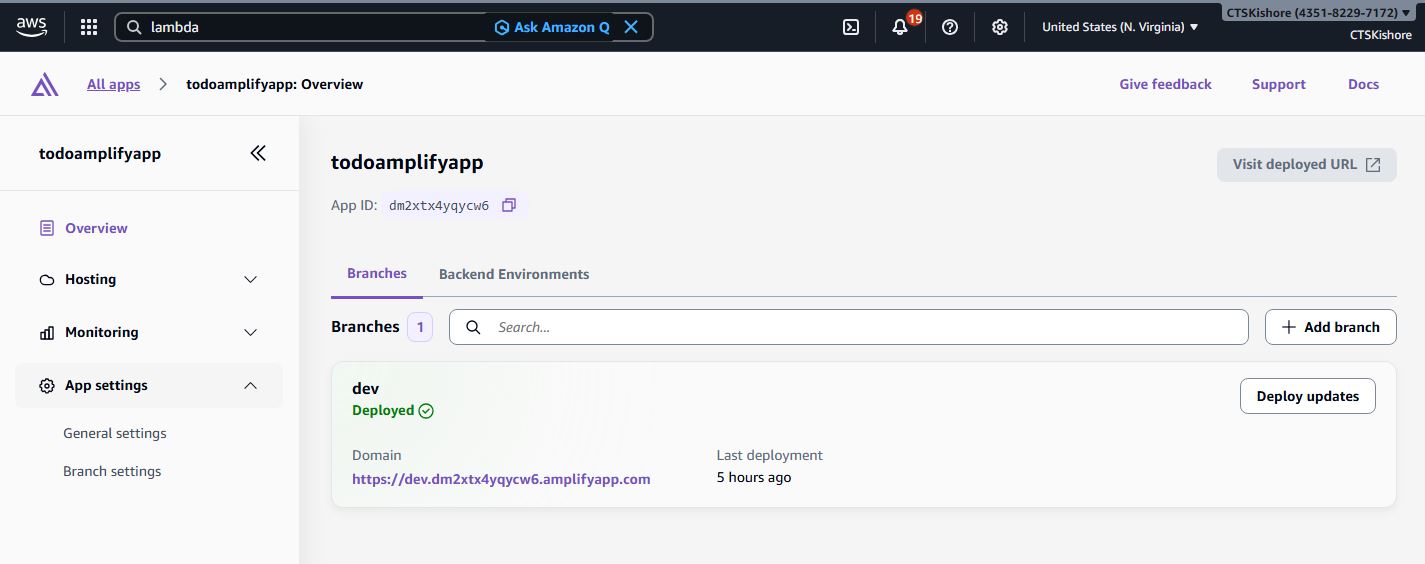
Step 24:
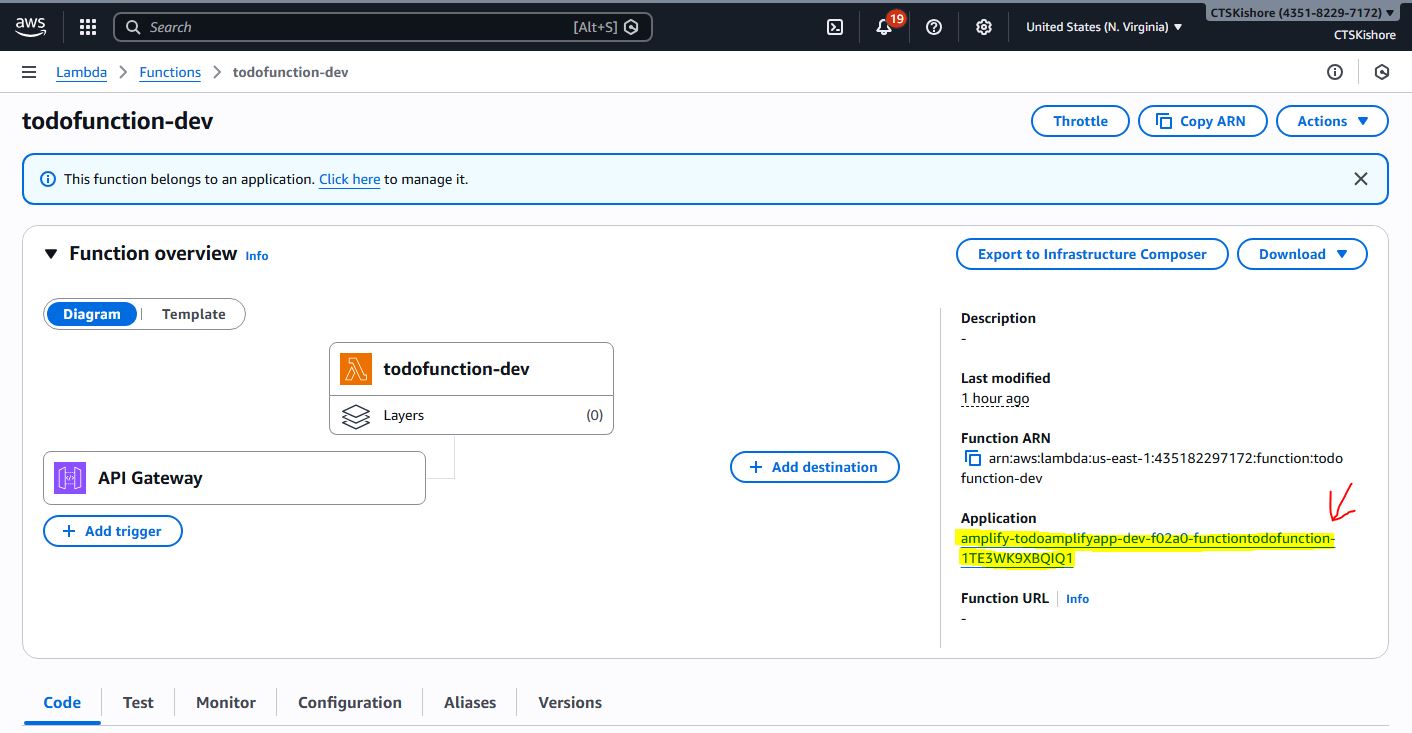
Step 25:
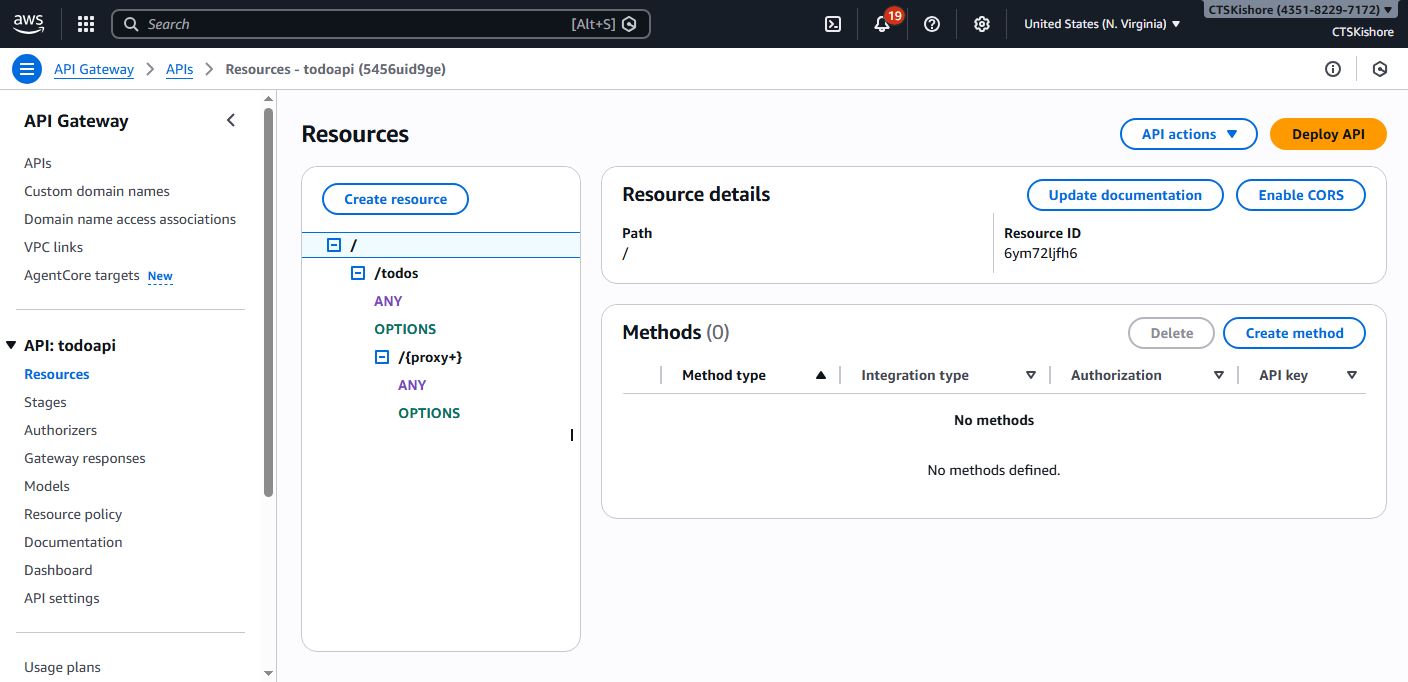
Step 26:
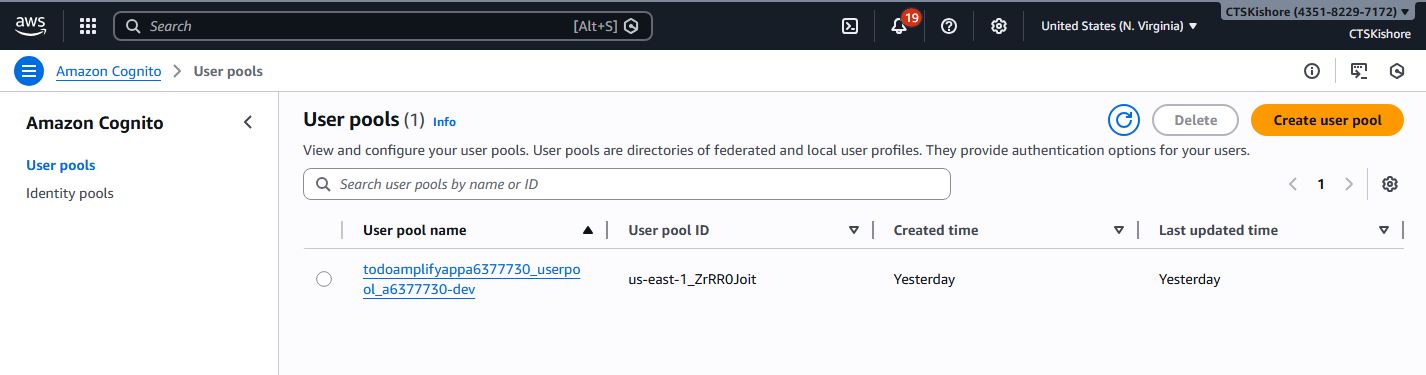
Step 27:
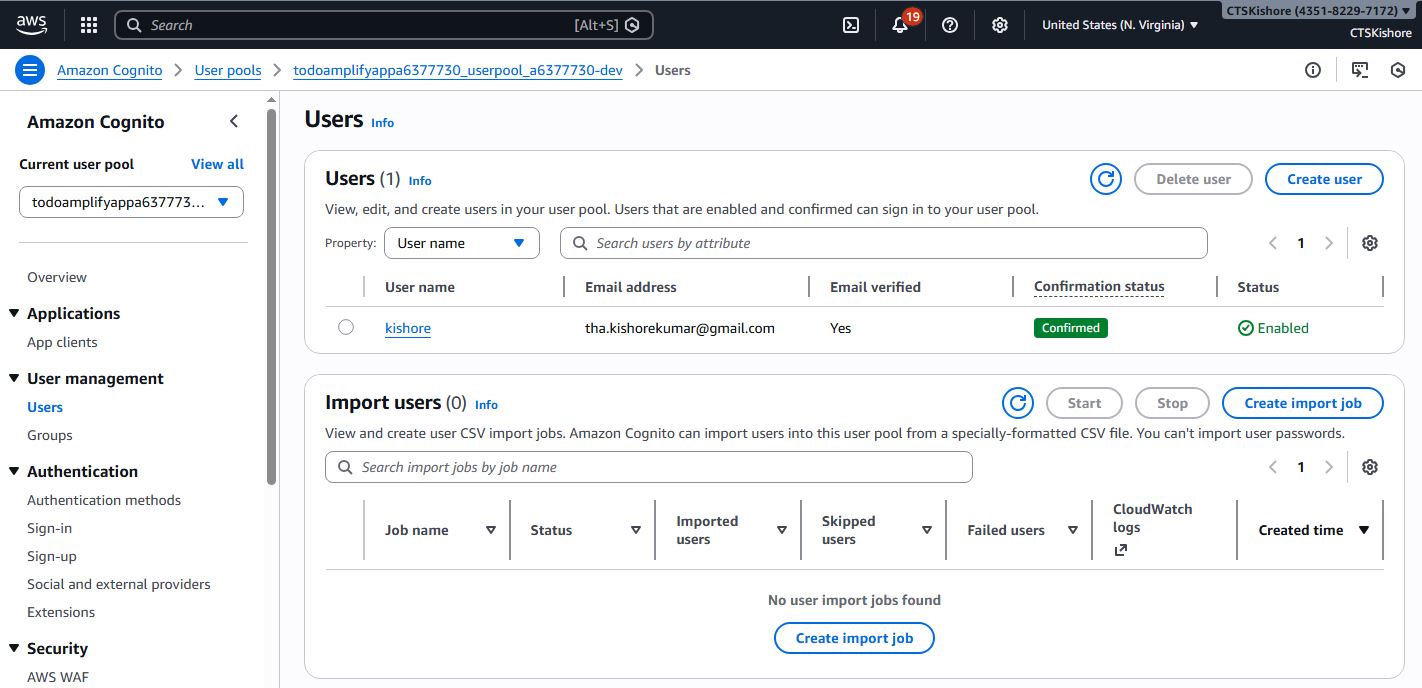
Step 28:
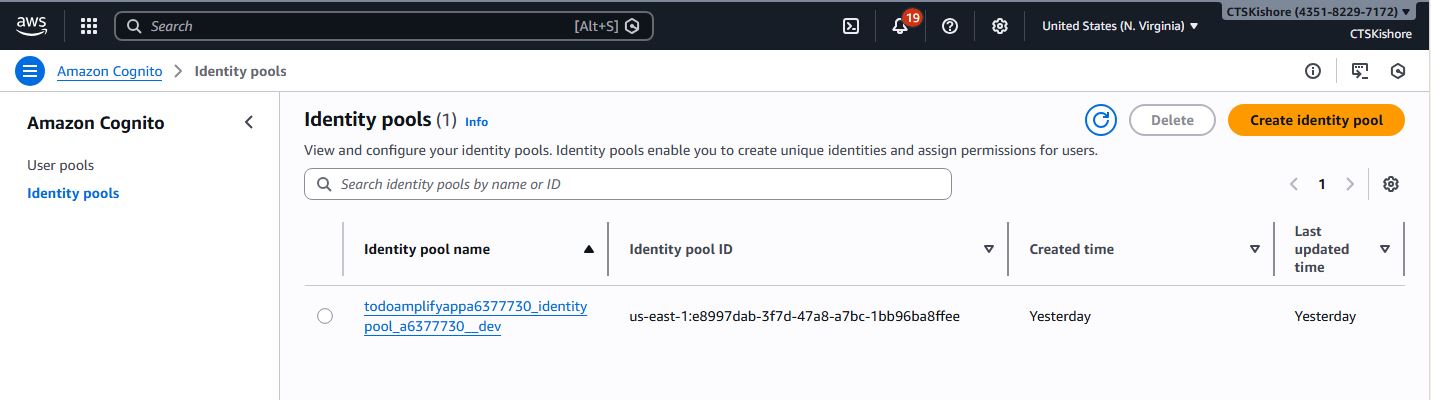
Step 29:
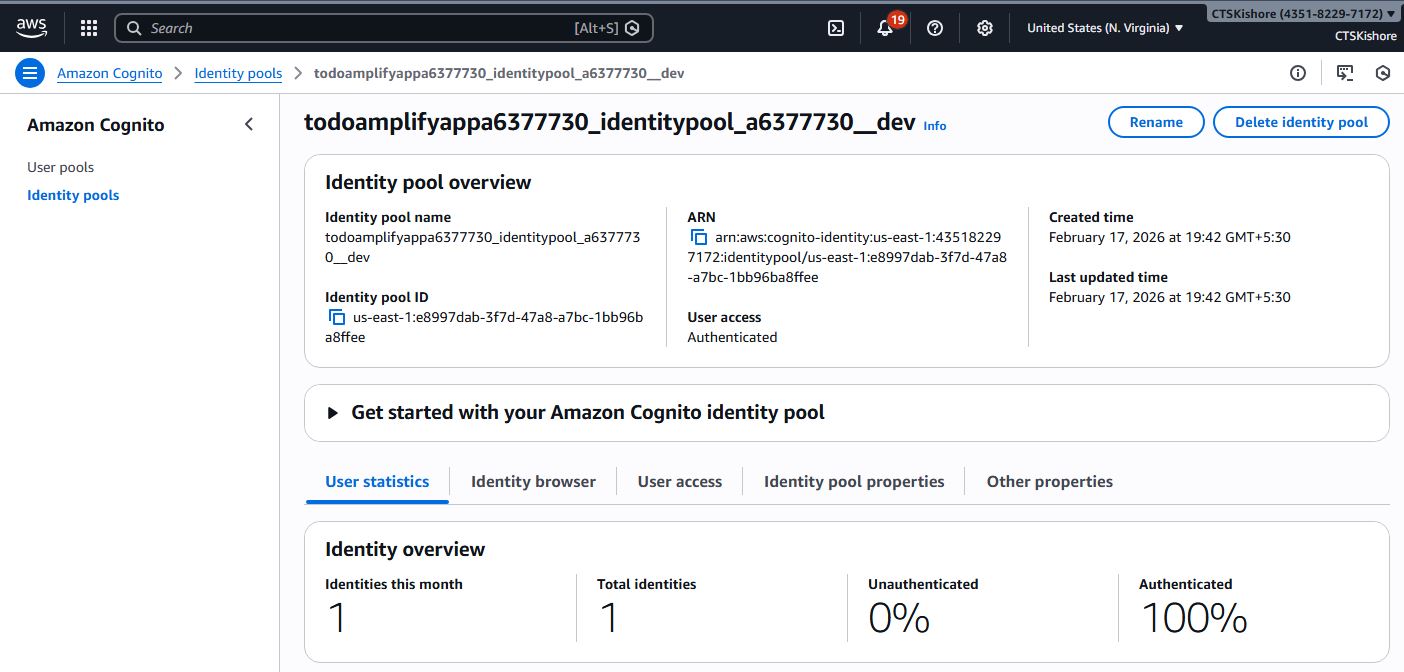
Step 30:
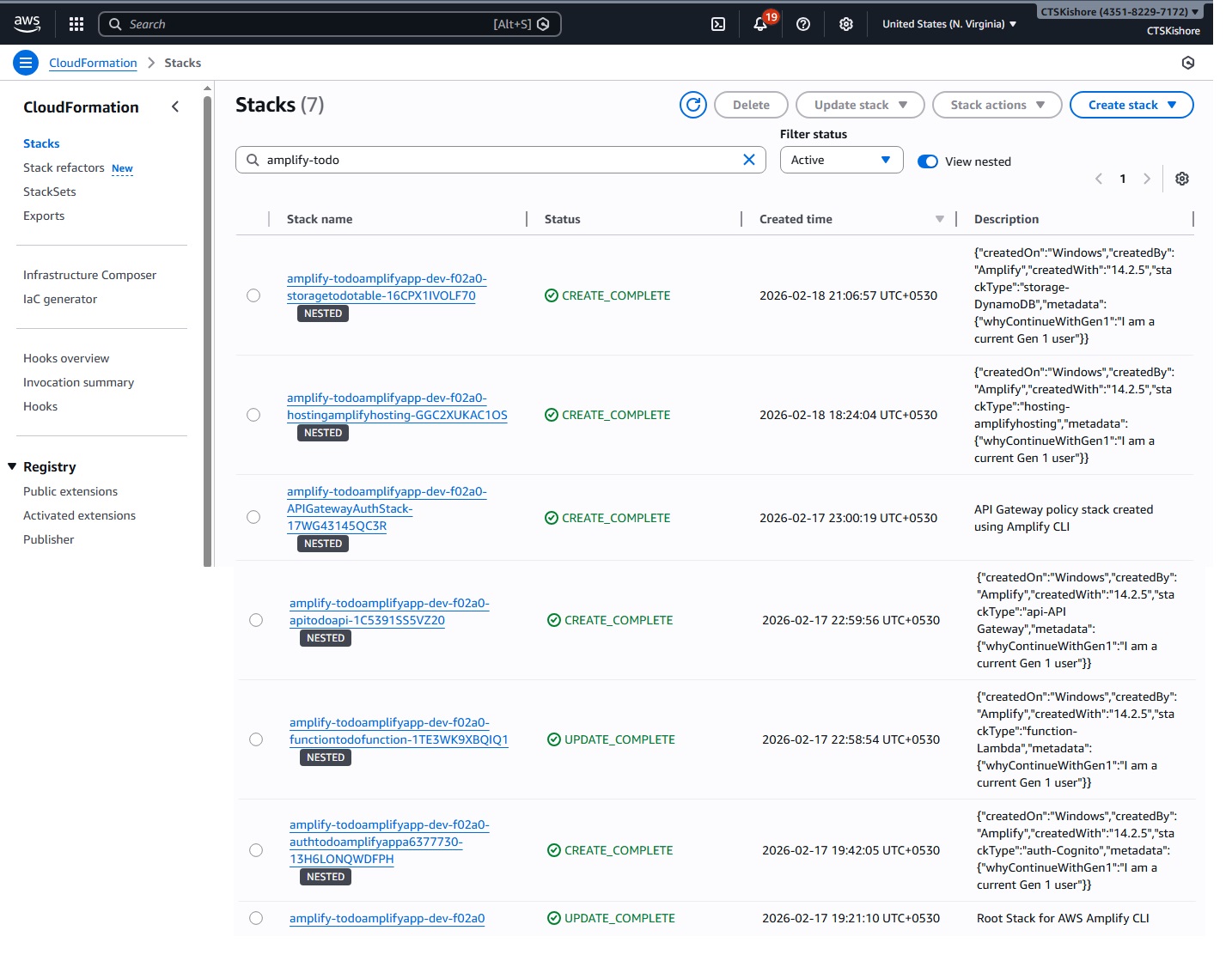
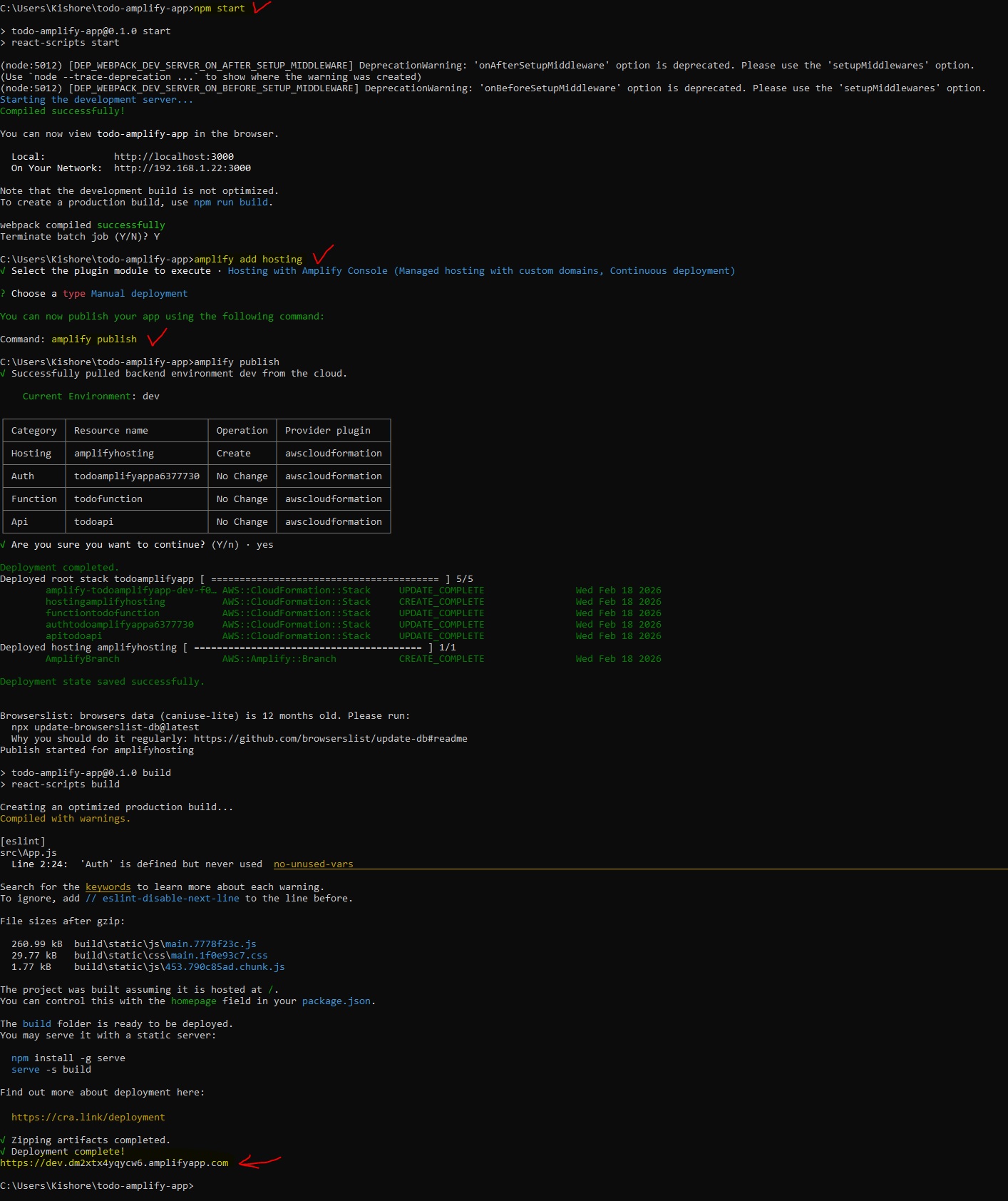
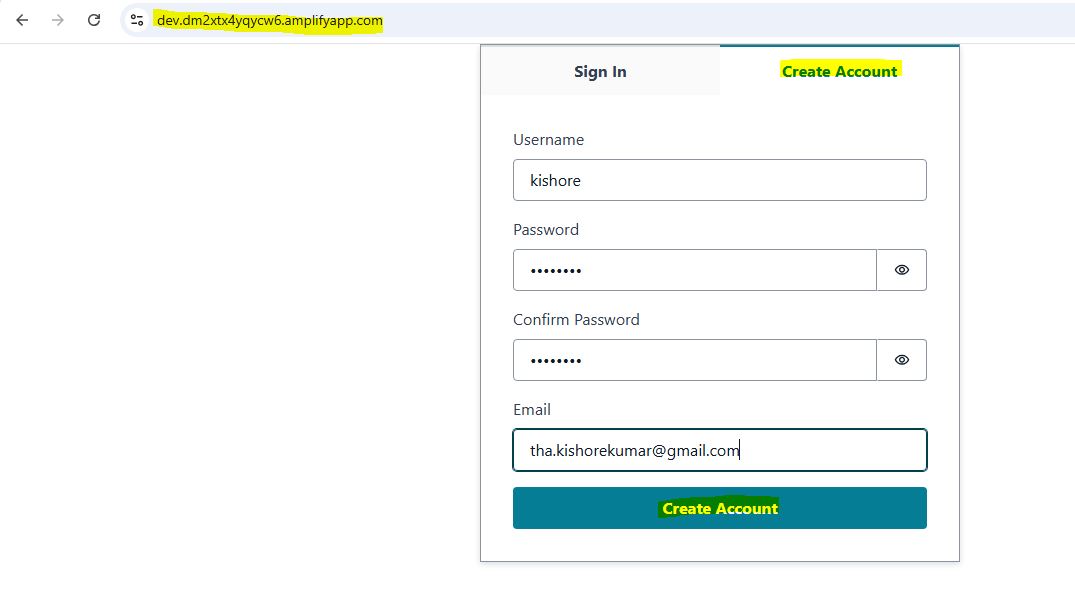
URL : https://dev.dm2xtx4yqycw6.amplifyapp.com